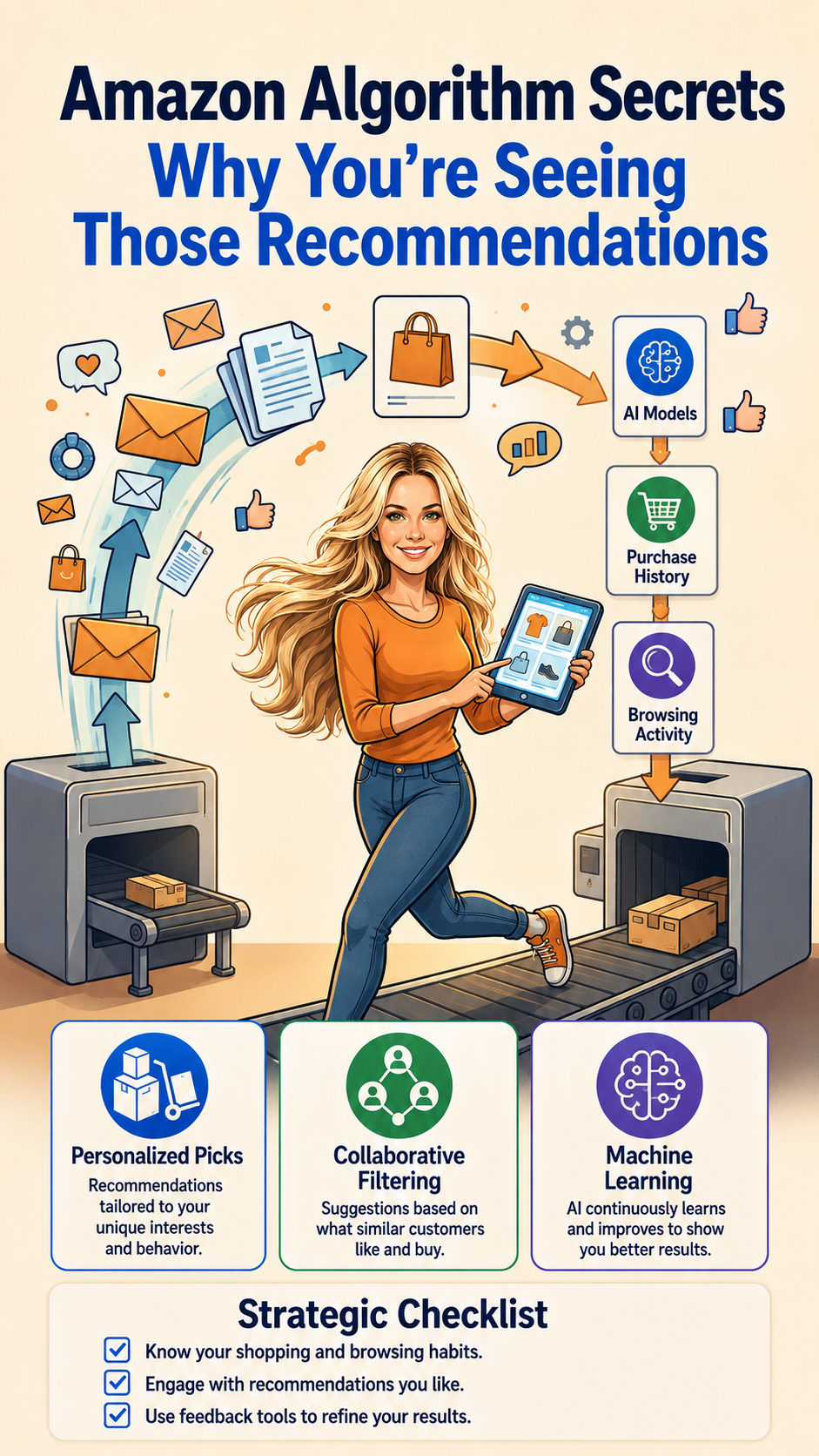
Amazon Algorithm Secrets: Why You Are Seeing Those Recommendations
How Amazon's recommendation system nudges what you see, what you buy, and how to use the algorithm instead of getting used by it.
This post contains affiliate links — we may earn a small commission at no extra cost to you.
Amazon shows you things for reasons. Not arbitrary reasons — mathematical ones, based on behavioral data, competitive bidding, and machine learning models trained on hundreds of millions of shopping patterns. Understanding how it works means you can use it instead of just being moved by it.
The Four Recommendation Engines
Amazon actually runs multiple recommendation systems simultaneously. Here's what they do:
1. Collaborative Filtering (Your Behavior + Similar Users)
This is the system that says “users who bought what you bought also bought…” It analyzes patterns across millions of customers. If you're in a cluster of buyers who all made similar purchases, Amazon assumes you share their preferences. This system is why searching for running shoes once can cause running gear recommendations for weeks.
2. Content-Based Filtering (Your Searches and Views)
When you search for or view a product, Amazon logs it. Even if you don't buy. A viewed product influences recommendations for 30 to 90 days. The algorithm uses your search history and browsing patterns to match you with similar products in its catalog. This is why window shopping on Amazon is not free — it shapes future recommendations.
3. Session Context (What You Are Doing Right Now)
Within a single shopping session, Amazon tracks what you're clicking, searching, and comparing. If you search “best moisturizer for dry skin,” every product you click in the next hour gets boosted in your recommendations. This is why it sometimes feels like Amazon is “reading your mind” within a session.
4. Margin and Conversion Probability (The Invisible Factor)
Amazon also factors in conversion likelihood and margin. Products that are more likely to sell — and more profitable for Amazon — get placed in favorable positions. This is not purely user-behavior driven. The algorithm has commercial incentives baked in.
How Search Ranking Actually Works
When you type a query, Amazon's A9 algorithm (now part of a broader system) ranks products by:
- Conversion rate — How often this product sells when shown
- Relevance to the search term — Title match, keywords, category fit
- Customer ratings and reviews — Stars matter, but recency matters too
- Availability and fulfillment speed — Prime-eligible items get a boost
- Price relative to similar products — Mid-range priced items often rank better
This is why sponsored products can sit above organic results — they're paying for placement. The algorithm doesn't distinguish between paid and organic ranking when sorting for relevance, so sponsored products that also have strong organic signals get the best positions.
How to Use the Algorithm to Your Advantage
Clear your history strategically. If you want better recommendations or want to see what Amazon shows a “new” user, use an Incognito window. Amazon shows a very different set of recommendations to first-time or cleared-session browsers.
Search for what you want, not what you browse. The algorithm responds to search intent. Searching for specific product categories repeatedly trains the algorithm to show you more of those products — at better prices and with better placement — than simply browsing aimlessly.
Use the “Keep Shopping” feature. Amazon tracks your long-term interest patterns by comparing your cart and browsing history to its full catalog. Adding items to your cart and then looking at recommendations often surfaces products you didn't know existed but actually needed.
The algorithm is not neutral. It's optimized for Amazon's revenue and for conversion. But you can learn to navigate it, use it to find better products, and avoid being manipulated by it. Knowledge is the edge.